iPanorama 360° - jQuery Virtual Tour
Thank you for purchasing this plugin. If you have any questions that are beyond the scope of this help file, please feel free to email on avirtum@gmail.com. Thanks so much!
About the plugin
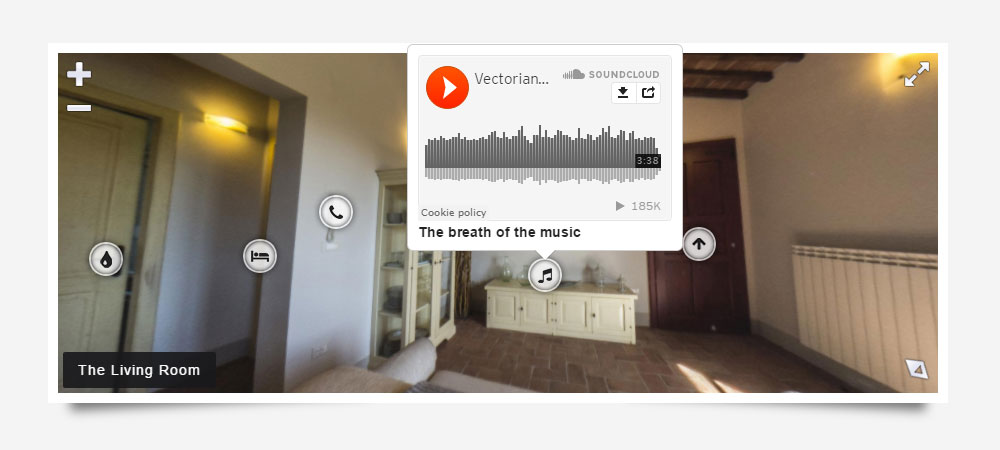
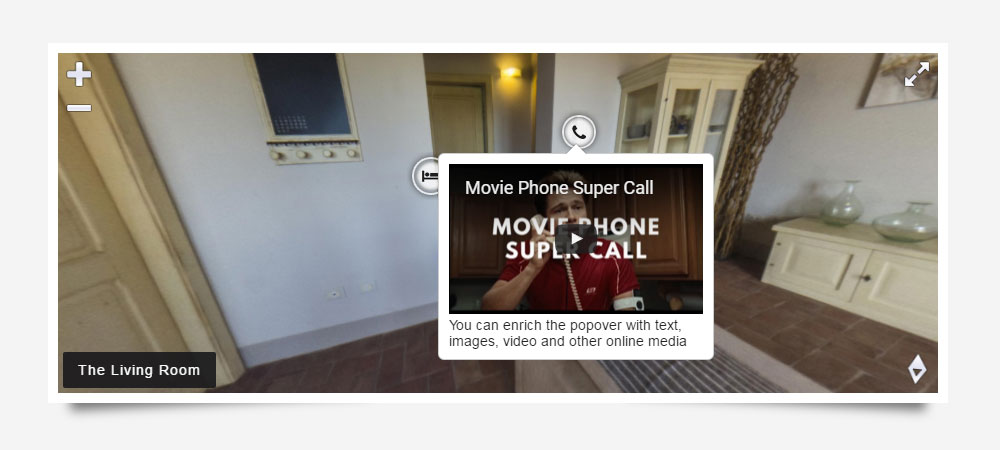
iPanorama 360° is a lightweight and rich-feature panorama viewer for the web. This plugin is built with modern libraries jQuery and Three.js to be used for part of backend solutions. Additionally, it has an awesome feature called virtual tour which allowed the user to navigate from one scene to another. Also, it supports hotspots for providing information about any part of the scene or for creating interactive tours. It uses their own tooltip system, you can enrich it with text, images, video and other online media. Use this plugin to create interactive tours, maps and presentations. The plugin can be deployed easily. It runs on all modern browsers and mobile devices like iOS, Android and Windows.
I'm using the Three.js library. It's a free and fast 3D engine for making WebGL worlds.
Files and Structure
The plugin's folder contains:
-
demo - folder with an example of use
- assets - folder with additional files
- index.html - html file with demo
-
src - folder with a javascript source file (full and min version)
- less - LESS files
- ipanorama.css - core and default theme for the panorama
- ipanorama.theme.default.css - default theme for the panorama
- ipanorama.theme.modern.css - modern theme for the panorama
- ipanorama.theme.dark.css - dark theme for the panorama
- jquery.ipanorama.js - main source file
- jquery.ipanorama.min.js - compressed and obfuscated main source file
Installation
1. Load jQuery.js, Three.js and jquery.ipanorama.min.js in the head section for your html document
<script type="text/javascript" src="js/jquery.js"></script>
<script type="text/javascript" src="js/three.js"></script>
<script type="text/javascript" src="js/jquery.ipanorama.min.js"></script>
2. Load the CSS theme file that styles the plugin
<script type="text/css" src="css/ipanorama.css" rel="stylesheet" media="all"></script>
<script type="text/css" src="css/ipanorama.theme.default.css" rel="stylesheet" media="all"></script>
3. Create a DIV tag where to set the panorama:
<div id="panorama"></div>
4. Finally just call the plugin on the div ID or class
4.1 Simple example
$("#panorama").ipanorama();
4.2 Advanced example with two different type of scenes and virtual tour support
$("#panorama").ipanorama({
	sceneId: "main",
	scenes: {
		main: {
			type: "cube",
			image: {
				left: "assets/images/left.png",
				right: "assets/images/right.png",
				top: "assets/images/top.png",
				bottom: "assets/images/bottom.png",
				front: "assets/images/front.png",
				back: "assets/images/back.png",
			},
			hotSpots: [
				{
					pitch: 0,
					yaw: 0,
					sceneId: "second",
				},
			],
		},
		second: {
			type: "sphere",
			image: "assets/images/sphere.jpg",
			hotSpots: [
				{
					pitch: 0,
					yaw: 0,
					sceneId: "main",
				}
			],
		}
	},
});
How To Use Builder
iPanorama 360 Virtual Tour Builder is an editing web tool that allows you to quickly and easily make a config for the plugin. What you see is what you get! This builder is intuitive and a pleasure to use. It allows you to save custom configs and use it in the future. Please read below for information on how to use our builder.
Installation
Uploading the builder via FTP to your web server
- Download the zipped plugin pack to your local computer from CodeCanyon and extract the ZIP file contents to a folder on your local computer
- In the extracted folder you will find the folder 'builder'
- Use a FTP client to access your host web server
- Upload the builder folder 'builder' to your host web server (root directory or subdirectory)
- Type in the browser http://yousite.com/subdirectory/builder (depends on the last step)
- Check the working of the builder
HotSpot Setup
This is the description of a manual setup, but you can use the online builder for this task too.
1. Call the plugin on the div ID or class with the parameter "hotSpotSetup: true":
$("#panorama").ipanorama({hotSpotSetup: true});
2. Press a control key (marked "Ctrl") and click the left mouse button where you want.
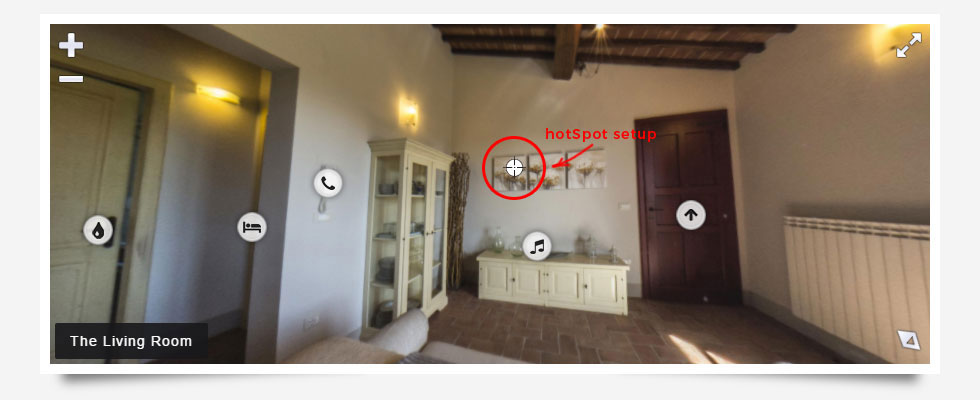
3. Look into the browser's console. You should see an information line like below.
yaw: 27.4483248729099, pitch: 0.36013708227241986, camera yaw: 0, camera pitch: 0, camera zoom: 75
Setup a Virtual Tour
This is the description of a manual setup, but you can use the online builder for this task too.
-
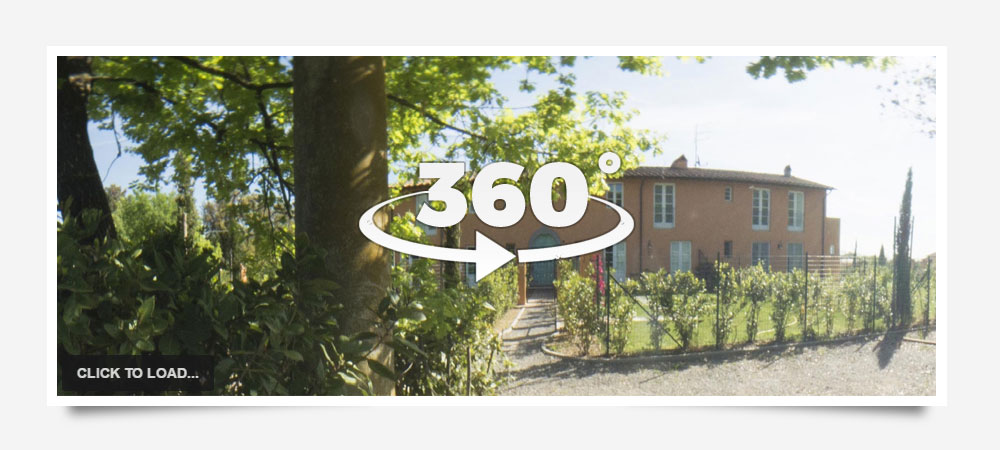
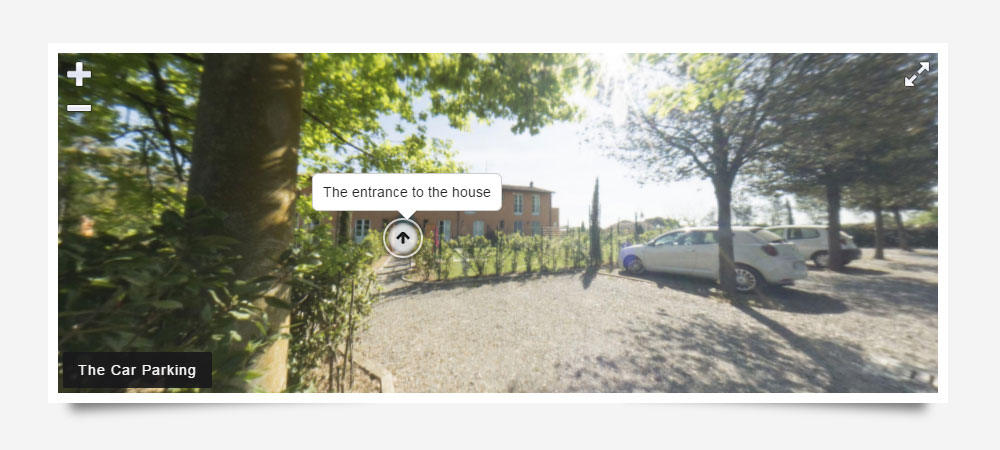
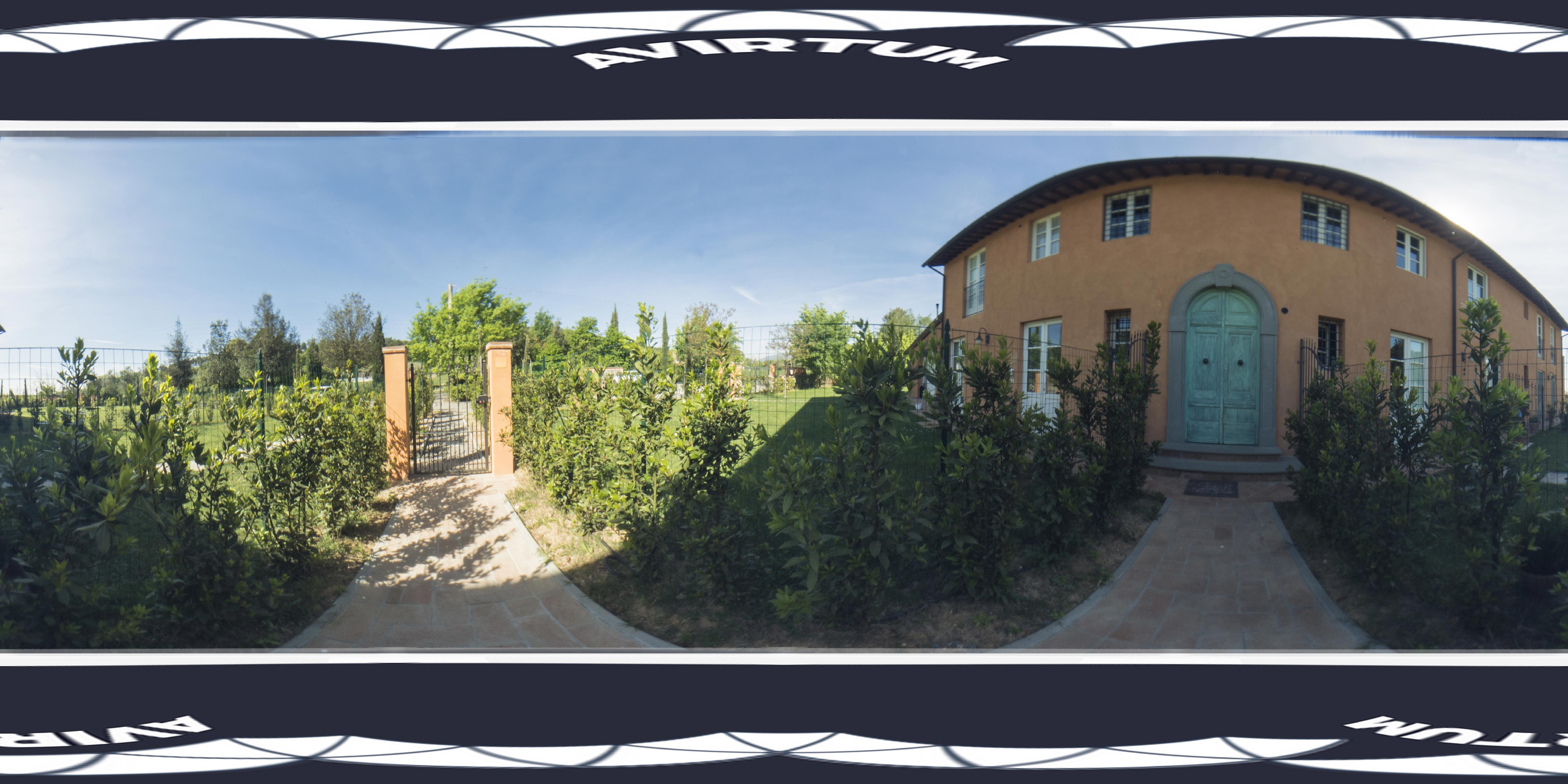
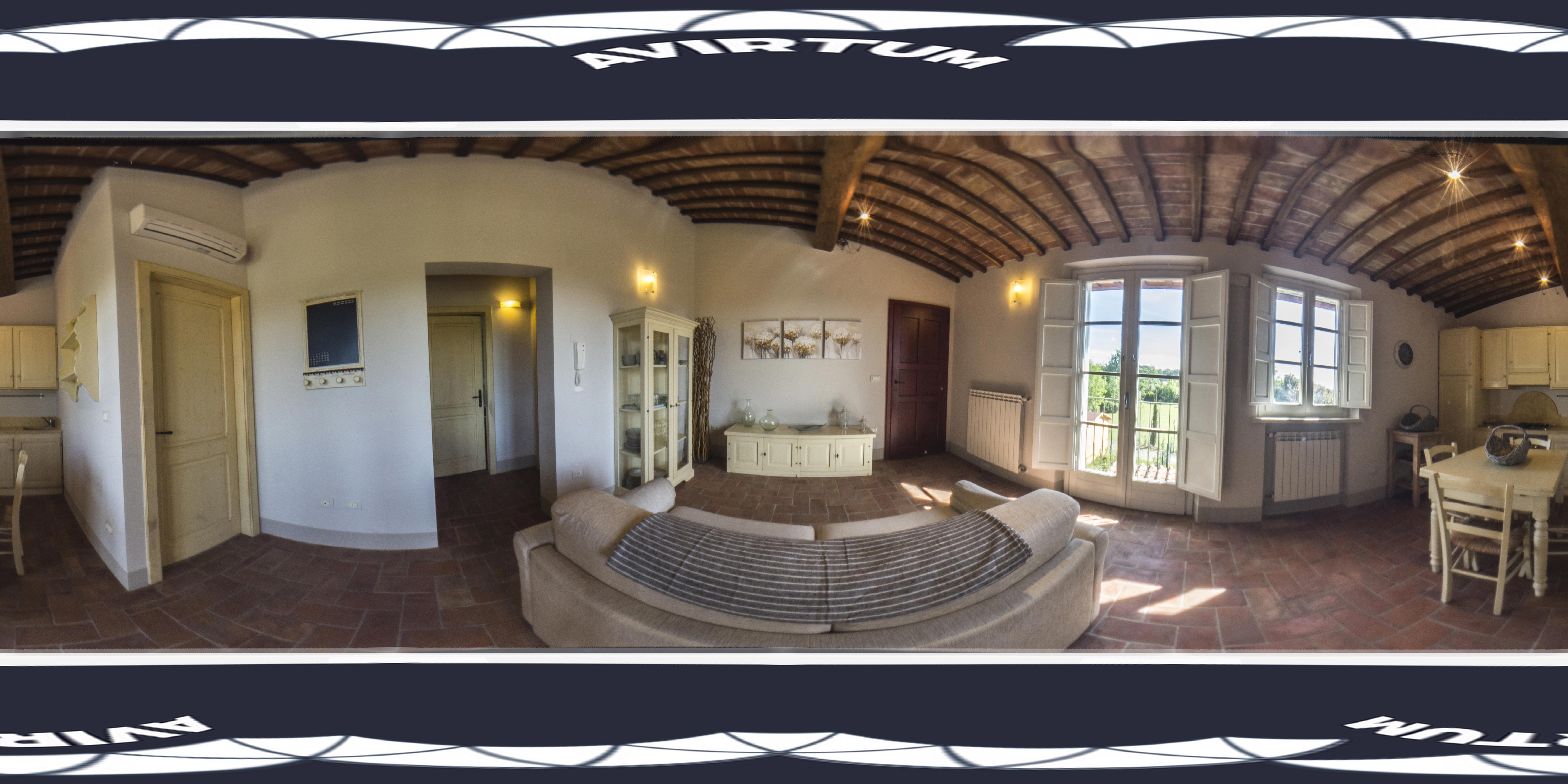
Prepare panoramic photos for your scenes. For example, I make two scenes with photos below.
-
Load jQuery.js, Three.js and jquery.ipanorama.min.js in the head section for your html document
<script type="text/javascript" src="js/jquery.js"></script>
<script type="text/javascript" src="js/three.js"></script>
<script type="text/javascript" src="js/jquery.ipanorama.min.js"></script>
-
Load the CSS theme file that styles the plugin
<script type="text/css" src="css/ipanorama.css" rel="stylesheet" media="all"></script>
<script type="text/css" src="css/ipanorama.theme.default.css" rel="stylesheet" media="all"></script>
-
Create a DIV tag where to set the panorama:
<div id="myvirtualtour"></div>
-
Call the plugin to setup your scenes with hotSpotSetup = true
$("#myvirtualtour").ipanorama({ theme: "ipnrm-theme-modern", hotSpotSetup: true, sceneId: "entrance", scenes: { entrance: { type: "sphere", // specifies the scene type ("box", "sphere", "cylinder") image: "assets/images/entrance.jpg", title: "The entrance to the house" }, livingroom: { type: "sphere", // specifies the scene type ("box", "sphere", "cylinder") image: "assets/images/livingroom.jpg", title: "The Living Room" } } }); -
Let's setup hotspots. Press ctrl and click anythere your want in the first scene.
If you check your browser console, you will see coordinates for your hotspot (yaw and pitch)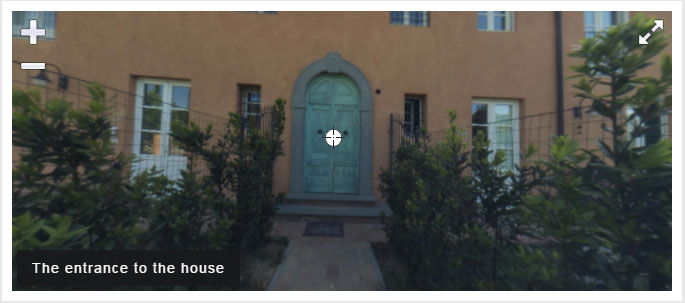

-
Let's rewrite our panorama config with hotspots support
$("#myvirtualtour").ipanorama({ theme: "ipnrm-theme-modern", hotSpotSetup: true, sceneId: "entrance", scenes: { entrance: { type: "sphere", // specifies the scene type ("box", "sphere", "cylinder") image: "assets/images/entrance.jpg", title: "The entrance to the house", hotSpots: [{ yaw: 190.86405695726037, pitch: 4.8227115073584, sceneId: "livingroom", popoverContent: "The Living Room" }] }, livingroom: { type: "sphere", // specifies the scene type ("box", "sphere", "cylinder") image: "assets/images/livingroom.jpg", title: "The Living Room", hotSpots: [{ yaw: 120.81267038066335, pitch: 4.153851619425508, sceneId: "entrance", popoverContent: "The entrance to the house" }] } } }); - Repeat steps above, you can build your own virtual tour
Options
All of the options below are available to customize iPanorama 360°.
| Option | Type | Default | Description |
|---|---|---|---|
| theme | String | ipnrm-default | CSS styles for controls, change it to match your own theme |
| containerSizeSelector | String | null | specify the selector for select a single element what define panorama size if the plugin can't detect it |
| imagePreview | String | null | specifies a URL for a preview image to display before the panorama is loaded |
| autoLoad | Bool | false | when set to true, the panorama will automatically load, when false, the user needs to click on the load button to load the panorama |
| autoRotate | Bool | false | setting this parameter causes the panorama to automatically rotate when loaded, the value specifies the rotation speed in degrees per second, positive is counter-clockwise, and negative is clockwise |
| autoRotateSpeed | Float | 0.001 | the value specifies the rotation speed in degrees per second, positive is counter-clockwise, and negative is clockwise |
| autoRotateInactivityDelay | Int | 3000 | sets the delay, in milliseconds, to start automatically rotating the panorama after user activity ceases, this parameter only has an effect if the autoRotate parameter is set |
| mouseWheelPreventDefault | Bool | true | enable or disable default behaviour on mouse wheel event |
| mouseWheelRotate | Bool | false | enable or disable rotating on mouse wheel |
| mouseWheelRotateCoef | Float | 0.2 | the coefficient by which the panorama is rotated on each mousewheel unit |
| mouseWheelZoom | Bool | true | enable or disable zooming on mouse wheel |
| mouseWheelZoomCoef | Float | 0.05 | the coefficient by which the panorama is zoomed on each mousewheel unit, this parameter only has an effect if the mouseWheelRotate parameter is set to false |
| hoverGrab | Bool | false | enable or disable grabbing on mouse hover |
| hoverGrabYawCoef | Float | 20 | the coefficient by which the yaw angle is changed on each mouse move unit |
| hoverGrabPitchCoef | Float | 20 | the coefficient by which the pitch angle is changed on each mouse move unit |
| grab | Bool | true | enable or disable grabbing on mouse click |
| grabCoef | Float | 0.1 | the coefficient by which the panorama is moved on each mouse grab unit |
| showControlsOnHover | Bool | false | determines whether the controls should be shown when hovering on the panorama |
| showSceneThumbsCtrl | Bool | false | show or hide the scene thumbs control |
| showSceneMenuCtrl | Bool | false | show or hide the scene menu control |
| showSceneNextPrevCtrl | Bool | true | show or hide the scene next and prev controls |
| showShareCtrl | Bool | true | show or hide the stereo view toggle control |
| showZoomCtrl | Bool | true | show or hide the zoom controls |
| showFullscreenCtrl | Bool | true | show or hide the fullscreen toggle control |
| showAutoRotateCtrl | Bool | false | show or hide the autorotate toggle control |
| sceneThumbsVertical | Bool | true | change scene thumbs's direction from horizontal to vertical |
| sceneThumbsStatic | Bool | false | thumbs are static |
| keyboardNav | Bool | true | set or disable navigation with keyboard (arrows keys) |
| keyboardZoom | Bool | true | set or disable zoom with keyboard (plus and minus keys) |
| pinchZoom | Bool | true | enable or disable multitouchzoom (2 fingers touch on the screen at the same time) |
| pinchZoomCoef | Float | 0.1 | the coefficient by which the panorama is zoomed |
| title | Bool | true | show or hide the title control |
| compass | Bool | true | enable or disable the compass |
| sceneNextPrevLoop | Bool | false | set or disable loop for the scene navigation with next & prev controls |
| popover | Bool | true | enable or disable the build-in popover system |
| popoverTemplate | String |
base HTML to use when creating the popover
<div class='ipnrm-popover'> <div class='ipnrm-close'></div> <div class='ipnrm-arrow'></div> <div class='ipnrm-content'></div> </div> |
|
| popoverPlacement | String | top | set the position of the popover on top, bottom, left or the right side of the hotspot |
| popoverShowTrigger | String | hover | specify how popover is triggered (click, hover) |
| popoverHideTrigger | String | leave | specify how popover is hidden (click, leave, grab, manual) |
| hotSpotBelowPopover | Bool | true | specify the z-order of the hotSpot against the popover |
| popoverShowClass | String | null |
specify the css3 animation class for the popover show NoteYou can use my open-source library Effect.less with over 100 animation classes |
| popoverHideClass | String | null |
specify the css3 animation class for the popover hide NoteYou can use my open-source library Effect.less with over 100 animation classes |
| sceneId | String | null | id of the scene to load first |
| sceneFadeDuration | Int | 3000 | specify the fade duration, in milliseconds, when transitioning between scenes |
| sceneBackgroundLoad | Bool | false | load all scene in the background |
| pitchLimits | Bool | true | enable or disable the pitch limits |
| hotSpotSetup | Bool | false | set or disable manual setup of hotspots in the current scene |
| mobile | Bool | false | enable or disable the animation in the mobile browsers |
| onHotSpotSetup | Callback | null |
callback funtion, if set, it will fire after click in the panorama
function(yaw, pitch, cameraYaw, cameraPitch, cameraZoom, event) {}
|
| onCameraUpdate | Callback | null |
callback funtion, if set, it will fire after the camera updated
function(cameraYaw, cameraPitch, cameraZoom) {}
|
| onShare | Callback | null |
callback funtion, if set, it will fire after the user click on the share control
function(event) {}
|
| onLoad | Callback | null |
callback funtion, if set, it will fire after the plugin loaded
function() {}
|
Options for the scene definition
| Option | Type | Default | Description |
|---|---|---|---|
| type | String | "cube" | specifies the scene type ("cube", "sphere", "cylinder") |
| cubeTextureCount | String | "six" | specify the cube texture count (single or six) |
| sphereWidthSegments | Int | 100 | number of horizontal segments for a sphere type scene |
| sphereHeightSegments | Int | 40 | number of vertical segments for a sphere type scene |
| image | String/Object | null | full file name specify the background of the scene, for the 'cube' type scene you have to define six textures |
| thumb | Bool | false | enable or disable the scene thumb |
| thumbImage | String | null | full file name specify the thumbnail of the scene |
| yaw | Int | 0 | sets the panorama’s starting yaw position in degrees |
| pitch | Int | 0 | sets the panorama’s starting pitch position in degrees |
| zoom | Int | 75 | sets the panorama’s starting zoom from 40 to 100 |
| titleHtml | Bool | false | specify the type of the scene title |
| titleSelector | String | null | specify the selector for select a single element with a content for the title |
| title | String | null | if set, the value is displayed as the panorama’s scene title, it can be text or HTML content |
| compassNorthOffset | Int | null | set the offset, in degrees, of the center of the panorama from North, as this affects the compass, it only has an effect if compass is set to true |
| hotSpots | Array | [] | specifies an array of hot spots that can be links to other scenes or information |
Options for the hotspot definition
| Option | Type | Default | Description |
|---|---|---|---|
| yaw | Int | 0 | specify the yaw portion of the hot spot’s location |
| pitch | Int | 0 | specify the pitch portion of the hot spot’s location |
| sceneId | String | null | specify the id of the scene to link to |
| imageUrl | String | null | url for the hotspot image |
| imageWidth | Int | null | hotspot image width |
| imageHeight | Int | null | hotspot image height |
| link | String | null | if set, the hotspot is a link |
| linkNewWindow | Bool | false | if set, open link in new window |
| className | String | null | specify additional css classes |
| content | String | null | if set, the value is displayed as the hotspot's content |
| popoverLazyload | Bool | true | enable or disable lazy load for the popover content |
| popoverShow | Bool | false | show the popover content when the scene's loaded |
| popoverHtml | Bool | true | specify the type of the popover content |
| popoverContent | String | null | if set, the value is displayed as the popover's content, it can be text or HTML content, or a method - function myfunc() |
| popoverSelector | String | null | specify the selector for select a single element with a content for the popover |
| popoverPlacement | String | top | set the position of the popover on top, bottom, left or the right side of the hotspot |
| popoverWidth | Int | null | specify the width of the popover |
| userData | Object | null | specify the user data that is associated with the hotspot, useful when the popoverContent is a method |
Methods
| Method | Parameters | Description |
|---|---|---|
| destroy | destroy the plugin, this reverts all plugin elements back to their original state (before calling the plugin) | |
| loadscene | sceneId | load the specific scene |
| loadhotspots | sceneId, hotSpots | load hotspots into the specific scene |
| lookat | yaw, pitch | change the LookAt vector of the camera |
| grab | on/off grab functionality | |
| instance | get instance | |
| fullscreen | switch to fullscreen mode and back | |
| resize | you should call this after the layout is changed |
Example:
$("#panorama").ipanorama("loadscene", {sceneId: "main"});
$("#panorama").ipanorama("loadhotspots", {sceneId: "main", hotSpots: []})
$("#panorama").ipanorama("lookat", {yaw: 0, pitch: 0})
$("#panorama").ipanorama("fullscreen");
$("#panorama").ipanorama("grab")
$("#panorama").ipanorama("instance")
$("#panorama").ipanorama("resize");
$("#panorama").ipanorama("destroy");
Preview demo via Brackets editor
- Download the Brackets editor and install it on your local computer.
- Download the zipped plugin pack to your local computer from CodeCanyon and extract the ZIP file contents to a folder on your local computer.
- Run Brackets editor.
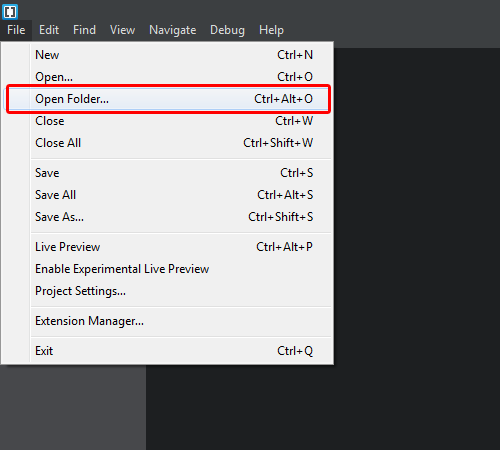
- Click on the "File" > "Open Folder...". In the extracted folder you will find the folder 'ipanorama'. Select it.
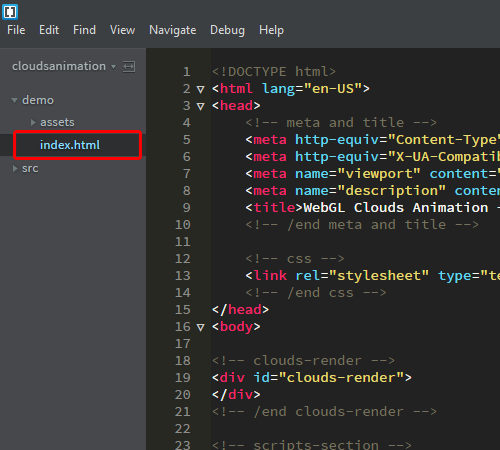
- Find and select the file 'index.html' in the folder 'demo'.
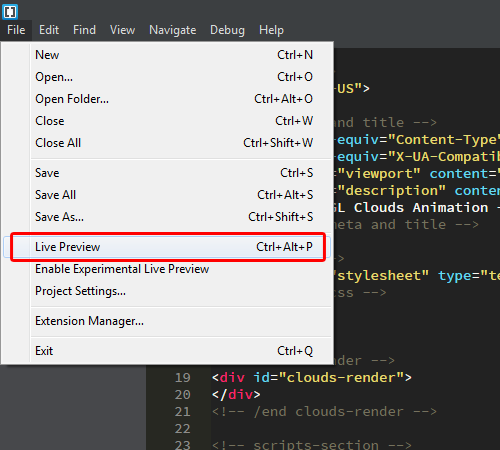
- Click on the "File" > "Live Preview".
- Check plugin working.
Sources and Credits
I've used the following libraries:
- jQuery - http://www.jquery.com
- Three.js - https://github.com/mrdoob/three.js
- FontAwesome - https://github.com/FortAwesome/Font-Awesome
- Effect.Less – https://github.com/MaxLawrence/Effect.less
Once again, Thank you so much for purchasing this product. As I said at the beginning, I'd be glad to help you if you have any questions relating to this script. No guarantees, but I'll do my best to assist. Feel free to rate my plugin as 5 out of 5 stars. If it's not a 5 of out 5, e-mail me and let me know what I can do to improve your experience.
Max Lawrence, avirtum@gmail.com